By LinkDesk™ Editors | My Digital Desk™
September 16, 2026
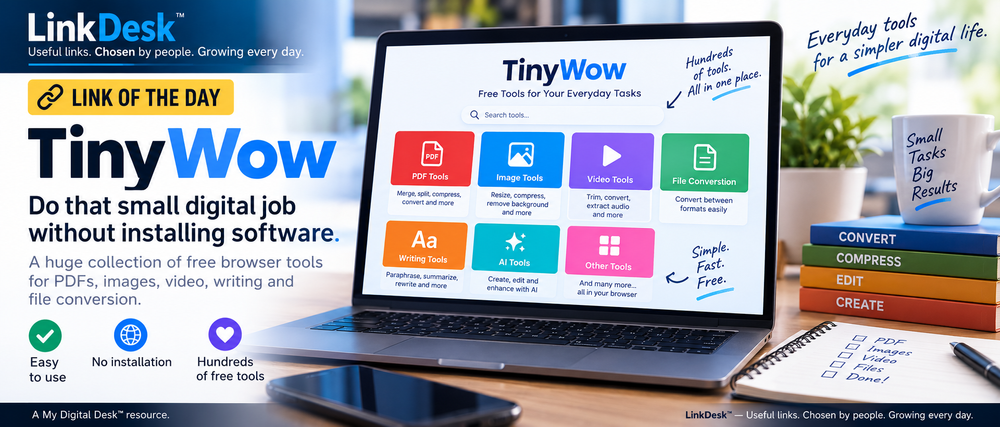
TinyWow puts hundreds of useful browser-based tools in one place for working with PDFs, images, videos, documents and other files — particularly handy when you need to complete one small job without installing another piece of software.

Link of the Day — TinyWow
Sometimes you don't need another app.
You just need to merge two PDFs. Shrink an image. Convert a PDF to Word. Remove a photo background. Trim a video. Turn an MP4 into an MP3. Or convert one annoying file into the format you actually need.
That's where TinyWow gets interesting.
TinyWow is essentially a large online toolbox. Instead of downloading separate programs for jobs you might only do once, you open the appropriate tool in your browser, upload your file, let TinyWow process it and download the result.
Why TinyWow Is Worth Bookmarking
The appeal isn't any single tool. It's having a lot of little tools available in one place.
Its PDF collection includes tools for merging, splitting, compressing, editing and converting PDFs. Image tools can resize and compress pictures, remove backgrounds, extract text and perform other common editing jobs.
There are also video tools for trimming and compressing video, extracting audio and converting formats, plus file conversion utilities and a collection of AI-assisted writing and image tools.
TinyWow currently advertises more than 200 online tools, while some parts of the service describe access to 250+ tools.
For everyday users, the useful part is simple: you don't have to know which specialized software to download every time an unfamiliar file lands in your inbox.
The “I Just Need to Do This Once” Website
That's probably the best way to think about TinyWow.
Imagine somebody sends you a PDF and you need three pages instead of 30.
Or you've got a photograph that's too large to upload.
Or somebody wants a Word document when all you have is a PDF.
You could search for software, install something, create an account and figure out how it works.
Or you could use a browser tool designed to do that one job.
TinyWow says its standard tools can be used without registration and promotes free access to its core collection. It also offers paid supporter options with benefits such as removing ads and CAPTCHAs and providing faster processing.
What About Files You Upload?
This is worth considering whenever you use an online file-processing service.
TinyWow says uploaded and generated files are automatically deleted from its servers after one hour. It also says files are uploaded using HTTPS and that it does not sell the documents, videos, images or other files users upload.
Its privacy policy does state that it uses analytics and third-party tracking, including for personalized advertising.
As with any online file-processing service, think about what you're uploading. A vacation photo you want resized is very different from a document containing confidential financial, legal, medical or business information.
For routine files and everyday digital chores, however, TinyWow is the kind of website that can earn a permanent place in your bookmarks.
You may not need it every day.
But eventually you're going to need to convert, compress, split, resize or fix something — and that's when you'll be glad you know where it is.
Explore TinyWow on LinkDesk:
mydigitaldesk.app/linkdesk/#/r/tinywow
Useful links. Chosen by people. Growing every day.
LinkDesk™ is building a human-curated directory of useful websites, tools, resources, services and local businesses. Set up your FREE account to discover and save useful links — or submit a useful link of your own. Link submissions are FREE.
───────────────
Found a Useful Link? We Want to Know About It.
LinkDesk™ grows every day as people discover and share useful websites, tools and resources.
Have a link you think should be featured as a future Link of the Day?
linkoftheday@wbnn.news
LinkDesk™ — Useful links. Chosen by people. Growing every day.
A My Digital Desk™ resource.
mydigitaldesk.app/linkdesk/#/
───────────────
TAGS: #LinkOfTheDay #LinkDesk #UsefulLinks #TinyWow #OnlineTools #PDFTools #ImageTools #VideoTools #FileConversion #Productivity #MyDigitalDesk